DNSao

DNSao is a lightweight DNS forwarder, cache, sinkhole, and metrics dashboard for your network
What DNSao Does
DNSao runs as a DNS server for your LAN, homelab, or small server. Devices send DNS queries to DNSao, and DNSao decides how to answer them:
client device -> DNSao -> local mapping / blocklist / cache -> upstream resolver
In practice, this means DNSao can:
- Forward DNS queries to one or more upstream resolvers using UDP, DNS-over-TLS, or DNS-over-HTTPS
- Cache answers according to TTL and rewarm frequently used entries before they expire
- Block domains from downloaded blocklists and exempt domains through allowlists
- Resolve local names directly, including homelab-style mappings such as
nas.homeor*.lab.home - Route different clients through different upstreams or blocklists with groups
- Show live DNS, upstream, cache, query, and JVM metrics in a built-in dashboard
Common Use Cases
- Home network DNS: point your router DHCP DNS setting to DNSao and let all devices use it.
- Privacy-oriented forwarding: use DoT or DoH upstreams instead of plain UDP upstream DNS.
- DNS sinkhole: block ad, tracker, or malware domains using remote blocklists.
- Homelab names: map local services to stable names without running a separate authoritative DNS server.
- DNS observability: inspect query history, cache hit rate, upstream latency, and JVM health from the dashboard.
Target Audience
DNSao is for technical users who want more control over DNS behavior on a LAN, homelab, or small server setup.
- Users who want network-wide ad blocking: use DNS blocklists and allowlists so filtering happens once at the DNS layer instead of on every device.
- Users who want private upstream DNS transport: forward queries to upstream resolvers over DoT or DoH to reduce DNS query sniffing between DNSao and the resolver. See Encrypted DNS for details.
- Users who want faster DNS resolution: cache TTL-aware answers locally, rewarm frequently used entries, and optionally race multiple upstream resolvers for the fastest response.
- Users who want robust LAN DNS rules: define local mappings, DNS-standard wildcard mappings, per-client groups, group-specific block/allow lists, and group-specific upstreams.
- Users who want simple high availability: run more than one DNSao instance with the same
application.ymland advertise both through router/DHCP DNS settings. No clustering or leader election is required. - Homelab and self-hosting users: name internal services like
nas.home,grafana.lab, or*.lab.homewithout running a separate authoritative DNS server. - Users who want DNS observability: inspect query history, cache behavior, upstream distribution, upstream latency, and JVM health from the built-in dashboard.
- Users who want a small, understandable DNS stack: configure one YAML file and run through Docker, systemd, or a plain Java JAR.
- Users who need different DNS behavior per client: apply stricter blocking to TVs or IoT devices, different upstreams to specific clients, and custom rules per group.
If you are evaluating DNSao against Pi-hole, AdGuard Home, or Technitium DNS Server, see Comparisons.
Main Features
- UDP, TCP, and HTTP DNS server modes
- UDP, DoT, and DoH upstream resolvers
- Parallel upstream querying with fastest-response selection
- TTL-aware cache with negative caching and asynchronous rewarm
- DNSSEC-aware policies:
off,simple, andrigid - Local mappings with DNS-standard one-label wildcards
- Blocklists, allowlists, and client groups
- SQLite-backed metrics and query history by default
- Built-in dashboard for summary, query log, upstream stats, and VM stats
- Single-file YAML configuration
- Docker, systemd script, and manual JAR installation options
Purpose
Other DNS tools often focus on one role: sinkholing, encrypted forwarding, caching, or metrics. DNSao combines those roles in one small service that is configured through a single application.yml file.
It is not an authoritative DNS server and it is not intended to replace a full recursive resolver. It is a forwarding resolver: clients ask DNSao, and DNSao answers from local rules/cache or forwards the query upstream.
All source code is available on the project’s GitHub, including the latest releases and development documentation.
Screenshots
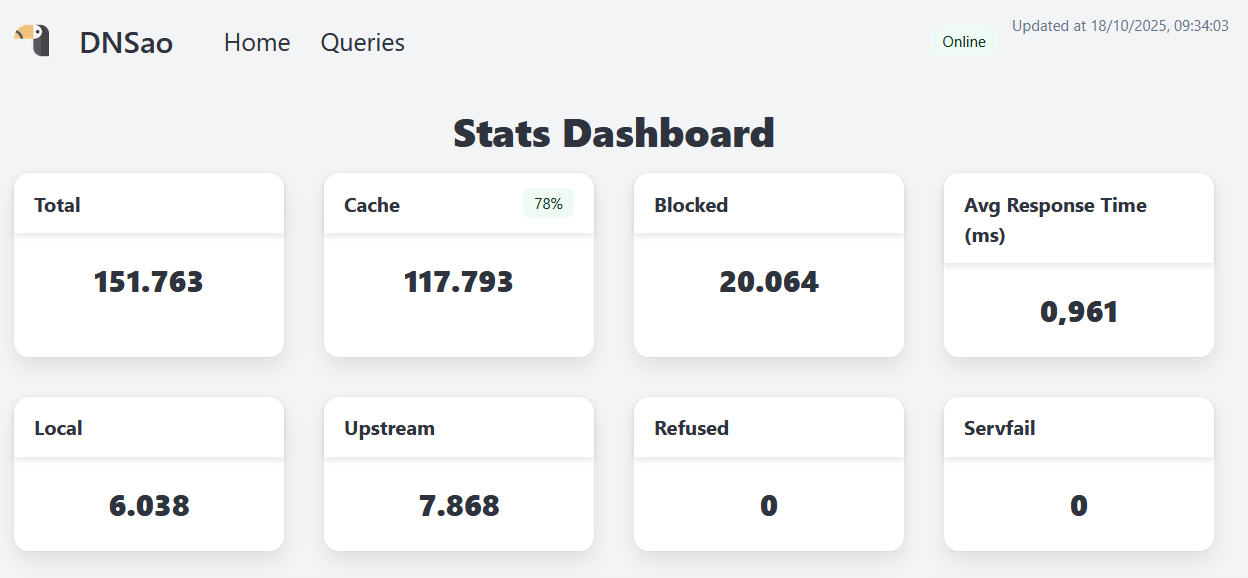
Query Summary
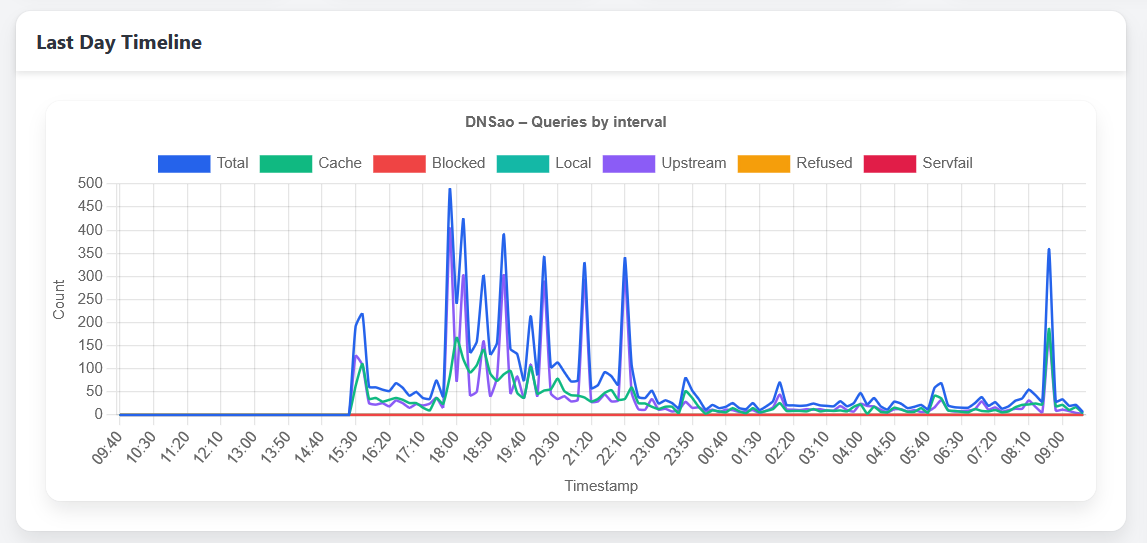
Graph with queries timeline
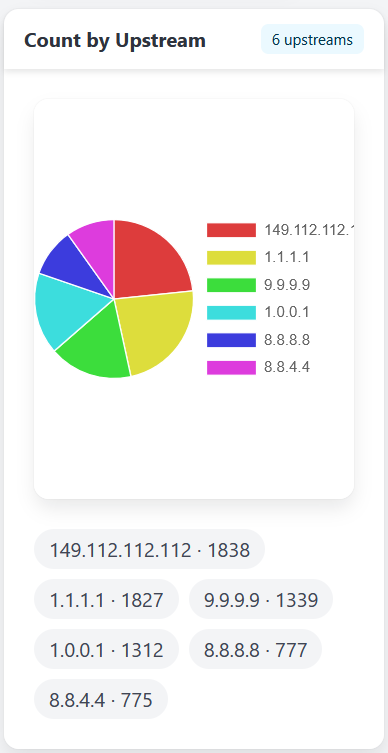
Upstream distribution
Benchmarks
DNS benchmarks can be somewhat unfair, because after the innitial burst and all domains are properly cached, it is just an exercise of how fast the cpu can get something from memory and wrap it correctly to return, but some people might find it necessary, so here is a couple of tests using dnsperf and a list of 250 domains.
First on in a LXC running with a single core of a recent cpu (i5-12400), where 10000 queries per second results in a perfect score:
avital@texugo:~/temp$ dnsperf -s dnsao1.intranet -d domains.txt -l 1200 -Q 10000
DNS Performance Testing Tool
Version 2.14.0

[Status] Command line: dnsperf -s dnsao1.intranet -d domains.txt -l 1200 -Q 10000
[Status] Sending queries (to 192.168.68.128:53)
[Status] Started at: Sat Oct 25 10:30:23 2025
[Status] Stopping after 1200.000000 seconds
[Status] Testing complete (time limit)

Statistics:

  Queries sent:         11997016
  Queries completed:    11997016 (100.00%)
  Queries lost:         0 (0.00%)

  Response codes:       NOERROR 10993096 (91.63%), NXDOMAIN 1003920 (8.37%)
  Average packet size:  request 30, response 267
  Run time (s):         1200.000091
  Queries per second:   9997.512575

  Average Latency (s):  0.000414 (min 0.000093, max 0.503841)
  Latency StdDev (s):   0.001498
And this one in a raspberry pi 3, with the same domains.txt list. When reaching 100 queries per second, it starts to show it's limits:
avital@texugo:~/temp$ dnsperf -s dnsao2.intranet -d domains.txt -l 1200 -Q 50
DNS Performance Testing Tool
Version 2.14.0

[Status] Command line: dnsperf -s dnsao2.intranet -d domains.txt -l 1200 -Q 50
[Status] Sending queries (to 192.168.15.50:53)
[Status] Started at: Sat Oct 25 12:28:45 2025
[Status] Stopping after 1200.000000 seconds
[Status] Testing complete (time limit)

Statistics:

  Queries sent:         60000
  Queries completed:    60000 (100.00%)
  Queries lost:         0 (0.00%)

  Response codes:       NOERROR 51968 (86.61%), NXDOMAIN 8032 (13.39%)
  Average packet size:  request 30, response 297
  Run time (s):         1200.000098
  Queries per second:   49.999996

  Average Latency (s):  0.004377 (min 0.001777, max 0.258354)
  Latency StdDev (s):   0.004117


avital@texugo:~/temp$ dnsperf -s dnsao2.intranet -d domains.txt -l 1200 -Q 100
DNS Performance Testing Tool
Version 2.14.0

[Status] Command line: dnsperf -s dnsao2.intranet -d domains.txt -l 1200 -Q 100
[Status] Sending queries (to 192.168.15.50:53)
[Status] Started at: Sat Oct 25 12:54:28 2025
[Status] Stopping after 1200.000000 seconds
Warning: received a response with an unexpected (maybe timed out) id: 24603
[Timeout] Query timed out: msg id 24602
[Timeout] Query timed out: msg id 11636
[Status] Testing complete (time limit)

Statistics:

  Queries sent:         120000
  Queries completed:    119998 (100.00%)
  Queries lost:         2 (0.00%)

  Response codes:       NOERROR 103934 (86.61%), NXDOMAIN 16064 (13.39%)
  Average packet size:  request 30, response 276
  Run time (s):         1200.000090
  Queries per second:   99.998326

  Average Latency (s):  0.004140 (min 0.001823, max 0.184822)
  Latency StdDev (s):   0.002594